
Businesses adopt software to solve problems.
A team needs a project-management platform. Marketing needs an email tool. Sales needs a prospecting service. Finance needs reporting software. Operations needs automations. Customer support needs a ticketing system.
Each purchase may make sense individually.
The problem appears when nobody can see the full collection.
Over time, companies accumulate dozens or hundreds of applications, subscriptions, vendor accounts, free trials, integrations, and departmental tools. Some are essential. Some overlap. Some are no longer used. Others are controlled by employees who have left the company.
This uncontrolled growth is known as SaaS sprawl.
SaaS sprawl is often treated as a budgeting problem, but its impact goes much further. It can create security gaps, unclear ownership, failed offboarding, redundant workflows, forgotten renewals, and dependencies nobody understands.
Controlling SaaS sprawl is not simply about cancelling subscriptions.
It is about understanding how software supports the business, who owns each system, what it costs, how it connects to other tools, and what would happen if it disappeared.
What Is SaaS Sprawl?
SaaS sprawl is the uncontrolled or poorly documented growth of software-as-a-service applications within an organization.
It occurs when teams continue adopting software without maintaining a reliable record of:
- Which tools are in use
- Why each tool exists
- Who owns each account
- Who has administrative access
- How much each subscription costs
- When each contract renews
- Which departments use the tool
- Which systems depend on it
- Whether the software is still needed
A company may have SaaS sprawl even when every tool was approved at the time of purchase.
The issue is not always unauthorized software. It is the lack of ongoing ownership and visibility after the software is introduced.
Why SaaS Sprawl Happens
SaaS software is easy to adopt.
That ease is one of its greatest advantages, but it is also the reason application inventories become difficult to control.
A new account may require little more than an email address and a credit card. Employees do not need to install servers, request hardware, or wait through a long implementation process.
The tool can be active within minutes.
Several common conditions accelerate SaaS sprawl.
Decentralized Purchasing
Departments often purchase software independently.
Marketing, finance, operations, sales, engineering, and HR may each have their own budgets and approval processes.
This gives teams flexibility, but it can also create separate software ecosystems that nobody sees as a whole.
Finance may see the charge without understanding the tool.
IT may understand the technology but never learn that it was purchased.
The department may understand why the tool exists but fail to document who owns it.
Free Trials and Self-Service Accounts
Many tools begin as free trials.
An employee tests a platform for a project, connects company data, invites coworkers, and eventually upgrades to a paid plan.
The account may become operational without ever passing through a formal procurement or security process.
Even free tools contribute to SaaS sprawl when they contain company information or support an important workflow.
Departmental Autonomy
Teams naturally choose software that fits their own work.
A design team may prefer one task-management platform while engineering uses another. Sales may adopt a separate reporting tool from operations. Different regional offices may purchase similar products independently.
The organization may end up paying for several applications that perform nearly identical functions.
Employee Turnover
When employees leave, the software they introduced may remain behind.
The subscription continues renewing, but the business context disappears.
Nobody may know:
- Why the tool was selected
- Who still uses it
- How to access the billing account
- Which workflows depend on it
- Whether it can be cancelled safely
The software becomes part of the company’s operations without having an active owner.
Mergers and Reorganizations
When companies merge, acquire teams, or reorganize departments, they often inherit overlapping software portfolios.
Two organizations may use different systems for:
- Project management
- File storage
- Customer communication
- Analytics
- HR
- Accounting
- Sales
- Security
- Automation
Without a structured consolidation process, both systems may remain active indefinitely.
Lack of Renewal Ownership
Software may be reviewed when it is purchased but not when it renews.
A subscription can continue for years because nobody is clearly responsible for evaluating it.
The renewal becomes an automatic financial event rather than an operational decision.
The Visible Cost of SaaS Sprawl
The most obvious cost is the subscription fee.
A company may be paying for:
- Unused software
- Duplicate applications
- Former employee accounts
- Excess seats
- Abandoned projects
- Expired experiments
- Features that are no longer needed
- Multiple tools serving the same purpose
Individually, these charges may appear small.
A forgotten $49 monthly subscription does not usually attract executive attention. However, when similar costs exist across dozens of departments and employees, the total becomes significant.
Annual plans make the problem harder to notice.
A tool may charge the company once per year, remain invisible for eleven months, and then renew automatically before anyone evaluates whether it is still useful.
Shelfware and Unused Licenses
“Shelfware” refers to software that a company has purchased but does not meaningfully use.
In SaaS environments, this often takes the form of:
- Licenses assigned to inactive employees
- Premium plans when a basic plan would be sufficient
- Department-wide subscriptions used by only a few people
- Tools purchased for projects that have ended
- Products replaced by another platform but never cancelled
The problem is not always that the software has no users.
A company may have active users but still be paying for significantly more capacity than it needs.
Duplicate Tools
Duplicate software is common in growing organizations.
Different teams may use separate tools for:
- Video conferencing
- Project management
- Surveys
- Forms
- Analytics
- Automation
- Documentation
- File sharing
- Scheduling
- Customer communication
- Design
- Reporting
Two tools do not need to be identical to overlap.
A company may pay for a dedicated feature that already exists inside another platform it owns.
Reducing duplication requires more than comparing feature lists. Teams need to understand how each tool is actually being used.
Poor Contract Timing
A company may know it wants to cancel a subscription but miss the required cancellation window.
Some vendors require notice before renewal. Others automatically extend annual contracts if the customer does not cancel by a specific date.
Tracking only the renewal date may not be enough.
Organizations should also document:
- Cancellation deadlines
- Notice requirements
- Contract terms
- Billing contacts
- Renewal owners
- Data-export requirements
A missed deadline can turn a preventable cost into another year of spending.
The Hidden Operational Costs
Subscription fees are only one part of SaaS sprawl.
The larger costs often appear in the form of lost time, confusion, risk, and operational complexity.
Employees Waste Time Finding Information
When information is distributed across too many platforms, employees spend more time searching for it.
They may need to ask:
- Which project tool contains the latest update?
- Which dashboard has the correct report?
- Which file-sharing platform contains the final document?
- Which account controls the website?
- Which automation updates the customer database?
- Which vendor supports this system?
The company may have purchased software to improve productivity, but the number of tools can eventually create new friction.
Workflows Become Fragmented
A business process may depend on several applications connected together.
For example, a customer inquiry may pass through:
- A website form
- An automation platform
- A spreadsheet
- A customer relationship management system
- An email platform
- A reporting dashboard
If nobody has documented the relationship between those tools, a change to one system can break the entire workflow.
SaaS sprawl increases the number of hidden dependencies inside the organization.
Support Becomes More Difficult
Employees need help using software.
The more applications a company adopts, the more knowledge IT and operations teams must maintain.
Support teams may not know:
- Who approved the tool
- Which plan the company purchased
- Who has administrator access
- Whether the vendor provides support
- Which department owns the relationship
- Whether the tool is officially supported
Each new application creates another system that must be understood, secured, supported, and eventually retired.
Data Becomes Scattered
SaaS applications often contain important business data.
When companies lose track of their software, they can also lose track of where their data lives.
Customer information, employee records, marketing assets, contracts, reports, and project files may be distributed across many vendors.
This makes it harder to answer basic questions:
- Which applications contain customer data?
- Which vendors retain company information?
- Who can access those systems?
- What needs to be exported before cancellation?
- What happens to the data when an account closes?
A software inventory is also a map of the company’s data environment.
The Security Risks of SaaS Sprawl
Every additional application expands the company’s potential exposure.
This does not mean that every SaaS product is unsafe. It means each tool introduces another set of:
- User accounts
- Permissions
- Administrator roles
- Integrations
- Data stores
- Authentication methods
- Vendor relationships
- Offboarding requirements
When those systems are not documented, security controls become inconsistent.
Former Employees May Retain Access
An employee may have accounts across dozens of third-party tools.
If the organization does not know which applications the employee used, it cannot confidently remove all access.
Some accounts may be connected to:
- Personal email addresses
- Separate passwords
- OAuth sessions
- API tokens
- Mobile devices
- Shared credentials
- Contractor accounts
Disabling the employee’s primary company account may not close every access path.
Administrator Coverage May Be Weak
A critical system may have only one administrator.
If that person leaves, becomes unavailable, or loses access, the company may be unable to manage the platform.
SaaS sprawl makes single-administrator risk difficult to detect because administrative ownership is spread across many products.
Shadow IT Avoids Normal Review
“Shadow IT” refers to technology adopted without the knowledge or approval of the teams responsible for managing technology, security, procurement, or compliance.
Employees usually do not introduce shadow IT with harmful intentions.
They are trying to work faster.
However, unreviewed tools may create problems involving:
- Data handling
- Account security
- Vendor reliability
- Contract terms
- Access removal
- Integration security
- Business continuity
The goal should not be to punish employees for finding useful tools.
The goal should be to create a process that preserves flexibility while making ownership and risk visible.
Integrations Create Persistent Access
Applications may remain connected even after employees stop actively using them.
OAuth permissions, API tokens, and automation credentials can continue moving data between systems.
A forgotten integration may have broader access than the company realizes.
Controlling SaaS sprawl requires visibility into both the applications and the connections between them.
How to Identify SaaS Sprawl
Most organizations do not have a single complete source of software information.
Building an accurate inventory usually requires several methods.
Review Financial Records
Examine:
- Corporate-card statements
- Bank transactions
- Accounts-payable records
- Vendor invoices
- Expense reports
- Procurement systems
- Reimbursement requests
Look for recurring charges and unfamiliar vendor names.
Keep in mind that the billing name may differ from the product name employees recognize.
Review Identity and Access Systems
Single sign-on and identity platforms may reveal applications that employees access through company accounts.
However, these records may not include:
- Tools using separate credentials
- Accounts created with personal addresses
- Free software
- Services purchased outside IT
- Tools accessed by contractors
Identity data is useful, but it is not always complete.
Interview Department Leaders
Ask each team:
- Which applications are essential?
- Which tools did the department purchase?
- Who owns each system?
- Who has administrator access?
- Which tools contain business data?
- Which platforms are connected?
- Which subscriptions are no longer needed?
Department interviews often reveal important systems that do not appear in central records.
Review Password Managers
Company password managers may contain entries for shared services and vendor accounts.
Do not copy passwords into a general software inventory.
Use the password manager to identify that an account exists, then record its business owner and secure storage location separately.
Review Browser and Email Records Carefully
With appropriate authorization and company policies, organizations may identify software through:
- Vendor emails
- Renewal notices
- Account invitations
- Purchase confirmations
- Browser-managed applications
- Shared inboxes
These methods should be used carefully and in accordance with employee privacy expectations and applicable law.
Ask Employees Directly
Employees often know about software that automated discovery methods miss.
A simple questionnaire can ask:
- Which applications do you use for work?
- Which subscriptions have you purchased?
- Which systems do you administer?
- Which automations have you created?
- Which vendor relationships do you manage?
- Which accounts use your personal email or phone number?
The answers should be validated against other sources where possible.
How to Control SaaS Sprawl
Controlling SaaS sprawl does not require banning new software.
It requires creating visibility and accountability around adoption.
1. Build a Central SaaS Inventory
Create a record of every known application.
For each tool, document:
- Product name
- Vendor
- Business purpose
- Department
- Primary owner
- Administrators
- Backup administrator
- Cost
- Billing frequency
- Renewal date
- Cancellation deadline
- Number of seats
- Connected systems
- Data stored
- Last verification date
- Current status
The inventory should be maintained as an operational system, not a one-time spreadsheet exercise.
2. Assign a Named Owner
Every important application should have a specific person responsible for it.
The owner should be accountable for:
- Confirming that the tool is still needed
- Reviewing the renewal
- Maintaining business context
- Coordinating administrator access
- Managing the vendor relationship
- Supporting ownership transfer when responsibilities change
A department name is not enough.
Ownership needs to be assigned to an individual who can make or coordinate decisions.
3. Require Backup Administration
Critical applications should not depend entirely on one person.
An appropriate backup administrator can help maintain continuity when the primary owner is unavailable or leaves the company.
Backup access should be limited, documented, and periodically verified.
4. Create a Lightweight Approval Process
Software approval does not need to become a slow bureaucracy.
A simple process can ask:
- What business problem does the tool solve?
- Does the company already own something similar?
- What data will the tool access?
- Who will own it?
- Who will administer it?
- How much will it cost?
- Does it renew automatically?
- How can the company export its data?
- What happens if the owner leaves?
This can prevent unnecessary duplication without blocking useful experimentation.
5. Review Applications Before Renewal
Renewals should trigger a decision.
Before a subscription renews, confirm:
- The tool is still used
- The owner is still correct
- The number of seats is appropriate
- The price is current
- The vendor relationship is healthy
- Duplicate tools do not exist
- Data can be exported if necessary
- The company still accepts the operational risk
The review should occur before the cancellation deadline, not on the renewal date.
6. Include SaaS in Employee Offboarding
When an employee leaves, identify every application they:
- Own
- Administer
- Pay for
- Support
- Created
- Connected to another system
- Manage as a vendor contact
Transfer ownership and confirm replacement access before disabling the employee’s accounts where possible.
7. Retire Tools Deliberately
Cancelling a subscription is not always the final step.
Before retiring a tool:
- Export necessary data
- Identify connected integrations
- Notify affected users
- Update workflows
- Remove access
- Revoke tokens
- Archive important documentation
- Confirm that billing has stopped
- Record the retirement date
A retired tool should not remain as an undocumented dependency.
How to Audit Your SaaS Portfolio
A SaaS audit can help an organization understand the current state of its software environment.
Phase 1: Discovery
Collect application information from:
- Finance
- IT
- Department leaders
- Identity systems
- Password managers
- Procurement
- Employees
- Existing spreadsheets
The objective is broad visibility.
Phase 2: Ownership
Assign or confirm:
- Primary owner
- Administrator
- Backup administrator
- Department
- Vendor contact
Assets without owners should be prioritized.
Phase 3: Financial Review
Document:
- Monthly or annual cost
- Seat count
- Renewal date
- Cancellation deadline
- Payment method
- Contract term
Identify unused, duplicate, or oversized subscriptions.
Phase 4: Risk Review
Flag tools with:
- No owner
- One administrator
- Former employee ownership
- Unknown renewal dates
- Unverified information
- Unclear data handling
- Undocumented integrations
- No export process
- No business purpose
Phase 5: Action
For each application, choose an action:
- Keep
- Consolidate
- Downgrade
- Reassign
- Renegotiate
- Investigate
- Replace
- Retire
Every action should have an owner and deadline.
Metrics for SaaS Sprawl Management
Organizations can track several useful indicators.
Total Number of Applications
This provides a basic view of portfolio growth.
The number itself is not automatically good or bad. It becomes useful when compared with business size, departments, and usage.
Applications Without Owners
An application without an owner cannot be reviewed or managed reliably.
This is one of the most important operational metrics.
Applications Without Backup Administrators
This metric highlights single-person dependency.
Unused or Underused Licenses
This helps identify direct savings opportunities.
Duplicate Application Categories
Group tools by function to find overlap.
Upcoming Renewals
Track renewals within the next 30, 60, and 90 days.
Unverified Records
Measure how many application records have not been reviewed recently.
Former Employees Connected to Applications
This can reveal unresolved offboarding risk.
Total Recurring Software Cost
Track monthly and annual spending, but connect cost to ownership and business purpose.
Why a Spreadsheet Is Often Not Enough
Many SaaS inventories begin in spreadsheets.
That can be an effective starting point.
However, spreadsheets become difficult to maintain when organizations need to understand:
- Multiple owners
- Administrator coverage
- Employee departures
- Renewal deadlines
- Verification history
- Application dependencies
- Vendor relationships
- Risk conditions
- Changes over time
A spreadsheet stores information in rows.
SaaS sprawl is a network problem.
Applications connect to people, departments, vendors, data, contracts, and other systems. When those relationships are invisible, the inventory cannot explain how the company actually operates.
How Atlariem Helps Manage SaaS Sprawl
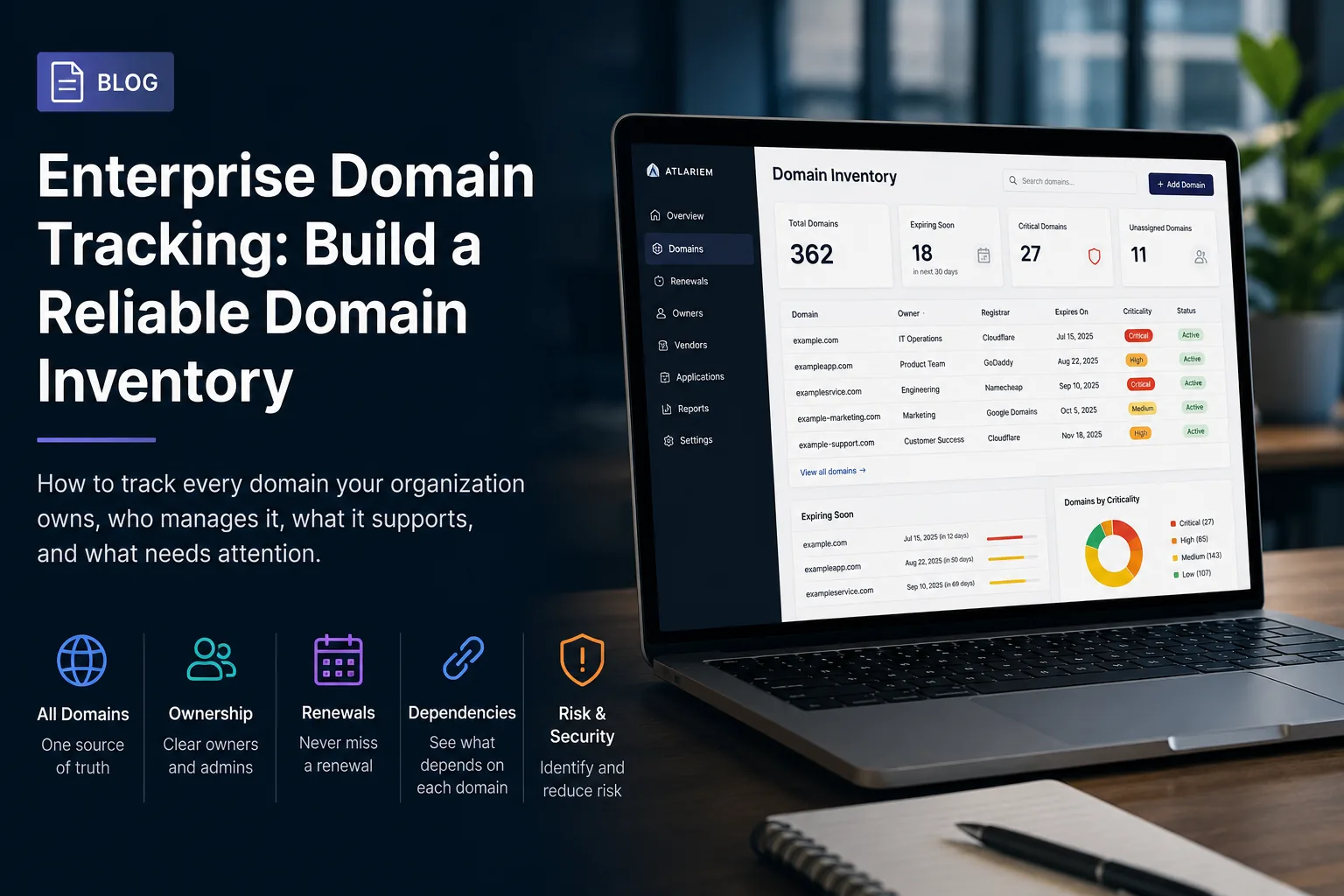
Atlariem is being built to help organizations create a connected operational registry of their digital environment.
Teams can use Atlariem to document:
- SaaS applications
- Digital assets
- Vendors
- Owners
- Administrators
- Backup administrators
- Departments
- Costs
- Renewal dates
- Dependencies
- Verification history
- Operational risks
Instead of viewing software as an isolated list of subscriptions, Atlariem helps organizations understand the relationships surrounding each tool.
Teams can identify questions such as:
- Which applications have no owner?
- Which tools depend on one administrator?
- Which subscriptions renew soon?
- Which records have not been verified?
- Which systems are connected to former employees?
- Where are duplicate tools creating unnecessary costs?
- Which applications are critical to other workflows?
Atlariem does not replace identity management, password management, procurement, or accounting software.
It provides the ownership and operational context that connects those functions.
Atlariem is currently available through invite-only early access.
SaaS Sprawl Is an Ownership Problem
Companies rarely lose control of software because they intentionally purchased too many tools.
They lose control because adoption happens faster than documentation.
Applications are added, teams change, employees leave, contracts renew, and integrations multiply.
Without a central view, the company sees the individual charges but not the operating environment they create.
Controlling SaaS sprawl begins with three questions:
- What software do we have?
- Who is responsible for it?
- Does the business still need it?
When those questions can be answered reliably, organizations can reduce waste, improve security, simplify offboarding, and make better technology decisions.
The goal is not to use fewer tools at any cost.
The goal is to ensure every tool has a purpose, an owner, and a place in the business.
Bring Your SaaS Portfolio Back Under Control
Atlariem helps organizations map applications, owners, administrators, vendors, costs, renewals, and dependencies in one connected operational registry.
Request an invitation to Atlariem’s early-access program and start building a clearer view of your company’s software environment.