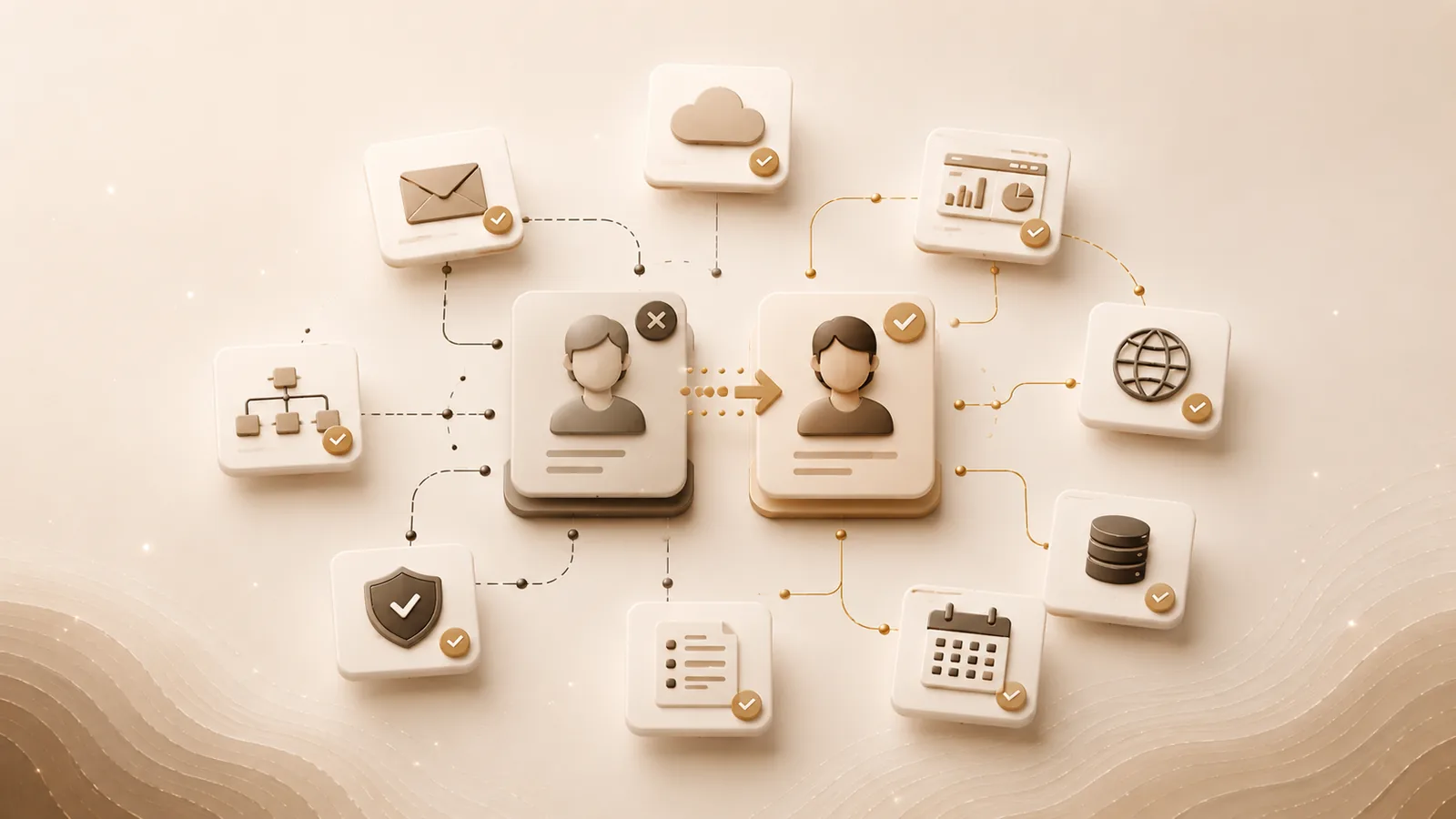

When an employee leaves a company, most organizations remember the obvious steps.
Their laptop is returned. Their email account is disabled. Their building access is revoked. Payroll and benefits are updated.
But what happens to the software accounts, subscriptions, domains, integrations, dashboards, and vendor relationships they managed?
That question is often much harder to answer.
Modern employees do not simply use company technology. They frequently create it, configure it, purchase it, administer it, and connect it to other systems.
A departing employee may control:
- SaaS subscriptions
- Social media accounts
- Analytics properties
- Advertising platforms
- Cloud services
- Domains and DNS records
- Vendor portals
- Automation workflows
- Source-code repositories
- Shared inboxes
- Customer-support tools
- Payment or billing accounts
When ownership of those systems is not documented, offboarding becomes a high-risk investigation.
Instead of following a clear transfer process, teams begin searching through emails, credit-card statements, browser bookmarks, and old project documents to determine what the employee managed.
The result can be lost access, unnecessary spending, security exposure, and operational disruption.
A strong SaaS offboarding process begins long before an employee announces their departure.
Why Traditional Employee Offboarding Is No Longer Enough
Traditional offboarding processes were designed around physical assets and centralized IT systems.
An employee received a company computer, an email account, access to a file server, and perhaps credentials for a few internal systems. IT could disable those accounts from one central location.
Today, teams can adopt software in minutes.
A marketing manager may create a landing-page platform without involving IT. A developer may open a cloud account for an experiment. An operations employee may build automations between several services. A department lead may purchase a tool using a corporate card.
These decisions can improve productivity, but they also distribute administrative ownership across the organization.
By the time an employee leaves, the company may not have a complete record of:
- Which systems the employee used
- Which accounts they created
- Which services they administer
- Which subscriptions they approved
- Which integrations depend on their account
- Which vendor contacts they managed
- Which credentials or recovery methods are tied to them
Disabling the employee’s email account does not solve those problems.
In some cases, it can make them worse.
If the employee’s email address is the only recovery address for an important platform, disabling it before ownership is transferred may create an additional barrier to regaining access.
The Difference Between Access and Ownership
One of the most common offboarding mistakes is treating access and ownership as the same thing.
They are related, but they are not identical.
An employee may have access to a system without being responsible for it. They may also own or administer a system that they rarely use directly.
For example:
- A finance employee may use a reporting platform but not administer it.
- A marketing manager may be the sole administrator of the company’s analytics account.
- A developer may own the cloud account that hosts a production service.
- An agency contractor may control the company’s advertising account.
- A founder may be the registrant for every company domain.
Removing ordinary user access is relatively straightforward.
Transferring ownership requires more context.
The company needs to know:
- Who currently owns the account
- Whether ownership can be transferred
- Who should become the new owner
- Whether backup administrators already exist
- Whether billing information must be updated
- Whether recovery methods are tied to the departing employee
- Whether other systems depend on the account
A complete SaaS offboarding checklist must address both access removal and ownership transfer.
What Can Go Wrong During SaaS Offboarding?
Poorly managed SaaS offboarding can create several different categories of risk.
1. The Company Loses Administrative Access
The departing employee may be the only administrator for an essential platform.
After the employee leaves, the company may discover that nobody else can:
- Add or remove users
- Change billing information
- Export data
- Modify integrations
- Update security settings
- Cancel the subscription
- Contact the vendor as an authorized administrator
Recovering access may require a lengthy support process, proof of business ownership, legal documentation, or cooperation from the former employee.
In some cases, recovery may not be possible.
2. Former Employees Retain Access
An employee may continue to have access through:
- A personal email account
- A separate administrator profile
- An active API token
- An OAuth connection
- A mobile application session
- A shared password
- A contractor or vendor account
- A forgotten secondary login
Disabling the company email account may not invalidate every path into every third-party platform.
Without an inventory of assigned systems, the organization cannot be certain that all access has been removed.
3. Automations Stop Working
Employees often create integrations using their own accounts.
An automation may rely on:
- The employee’s email identity
- Their OAuth authorization
- A token they generated
- A spreadsheet they own
- A folder in their personal cloud workspace
- A webhook associated with their account
- Their permission to access a source system
When the account is disabled, workflows may stop silently.
Leads may no longer reach the sales team. Reports may stop updating. Notifications may disappear. Customer information may fail to synchronize.
The company may not discover the failure until someone notices missing data.
4. Subscriptions Continue Renewing
A departing employee may have purchased software that no one else knows about.
The subscription may continue charging the company even though:
- The tool is no longer used
- The project has ended
- The department has moved to another platform
- Nobody can access the billing account
- The original owner is no longer employed
Recurring charges can continue for months because the expense appears only as another line on a corporate card or bank statement.
5. Vendor Relationships Become Unclear
The employee may have been the only person who understood:
- Why a vendor was selected
- What the contract includes
- When renewal negotiations occur
- Who the primary vendor contact is
- Which department depends on the service
- How cancellation must be submitted
- Whether data must be exported before termination
Without a documented transfer, the replacement owner inherits a subscription without the context needed to manage it.
6. Critical Knowledge Leaves With the Employee
The most serious loss may not be access itself.
It may be the knowledge surrounding the system.
The departing employee may know:
- Why the platform was configured a certain way
- Which integrations are fragile
- Which reports executives depend on
- Which vendor promises were made
- Where important exports are stored
- Which account settings must not be changed
- Which workflows have no documentation
An account can be transferred while its operational knowledge is still lost.
That is why offboarding must include both technical access and business context.
SaaS Offboarding Checklist
The following checklist can help operations, IT, HR, and department leaders reduce offboarding risk.
Step 1: Identify Every System Connected to the Employee
Create a list of systems the employee:
- Uses
- Owns
- Administers
- Pays for
- Created
- Configured
- Maintains
- Supports
- Uses for integrations
- Manages on behalf of the company
Do not rely only on a list from IT.
Review information from:
- Identity providers
- Password managers
- Accounting records
- Corporate-card statements
- Browser-based SSO applications
- Procurement records
- Department software lists
- Project documentation
- Vendor records
- The employee’s manager
- The employee directly
The goal is to identify both approved and unofficial tools.
Step 2: Classify the Employee’s Relationship to Each System
For every identified system, determine whether the employee is:
- A standard user
- A primary owner
- A workspace administrator
- A billing contact
- A technical administrator
- A vendor contact
- An integration owner
- The only person with access
- A backup administrator
This classification determines the correct offboarding action.
A standard user account may simply need to be disabled.
A primary owner may require a formal transfer.
Step 3: Prioritize Critical Systems
Not every tool carries the same level of risk.
Prioritize systems that affect:
- Company identity
- Customer data
- Revenue
- Financial operations
- Production infrastructure
- Security
- Communications
- Legal obligations
- Business continuity
High-priority systems may include:
- Domain registrars
- DNS providers
- Company email
- Identity platforms
- Cloud infrastructure
- Payment processors
- Source-code repositories
- CRM systems
- Customer-support platforms
- Accounting systems
- Marketing and advertising accounts
- Data warehouses
- Automation tools
Ownership of these systems should be transferred before the employee’s final day whenever possible.
Step 4: Assign a Replacement Owner
Every important system should have a named person responsible for it.
The replacement owner should understand:
- The business purpose of the system
- The associated cost
- Its renewal date
- Its users
- Its administrators
- Its dependencies
- Its vendor contact
- Its current risks
- Any outstanding projects or issues
Do not assign ownership to a department name alone.
“Marketing” cannot approve a renewal or recover an account. A specific accountable person should be named.
Step 5: Confirm Backup Administrative Access
Critical systems should not depend entirely on one individual.
Before the employee leaves, confirm that:
- Another administrator can sign in
- The replacement administrator has the correct permission level
- Recovery methods are controlled by the company
- Multi-factor authentication is not tied only to the departing employee’s device
- Billing access is available
- Data exports can be performed
- Vendor support recognizes the new contact
A user appearing in the administrator list does not always mean that user has full authority.
Test important access before the departure is complete.
Step 6: Transfer Account Ownership
Some platforms distinguish between administrators and owners.
The owner may control:
- Subscription cancellation
- Billing
- Legal agreements
- Data exports
- Workspace deletion
- Security settings
- Ownership transfers
- Support verification
Follow the platform’s formal ownership-transfer process.
Where possible, transfer ownership to a company-managed role account or a carefully selected employee rather than a personal address.
Step 7: Review Connected Integrations
Check whether the employee’s accounts are connected to other systems through:
- OAuth
- API tokens
- Webhooks
- Automation platforms
- Browser extensions
- Shared spreadsheets
- Cloud folders
- Email forwarding rules
- Service accounts
- Calendar integrations
Determine what will happen when the employee’s access is removed.
Reauthorize integrations under an appropriate company-controlled account before disabling the original account.
Step 8: Secure Recovery Methods
Review the account’s:
- Recovery email
- Recovery phone number
- Multi-factor authentication device
- Backup codes
- Security questions
- Domain verification
- Authorized contacts
Replace personal recovery details with company-controlled methods.
Do not store recovery codes or passwords in a general digital asset inventory. Store them in an approved password manager or secrets-management system.
Step 9: Review Billing and Renewals
For each subscription associated with the departing employee, document:
- Current cost
- Billing frequency
- Payment method
- Renewal date
- Cancellation deadline
- Contract term
- Number of seats
- Current business owner
- Whether the subscription is still needed
This is also an opportunity to identify unused or duplicate software.
Step 10: Preserve Necessary Business Records
Determine whether the employee owns or controls:
- Shared files
- Reports
- Dashboards
- Documents
- Templates
- Automation configurations
- Vendor correspondence
- Contracts
- Data exports
- Project notes
Transfer necessary files to an appropriate company-controlled location.
Do not automatically copy all personal or irrelevant material. Follow company policy and applicable privacy requirements.
Step 11: Remove Access
After ownership, data, and integrations have been transferred:
- Disable the employee’s accounts
- Remove active sessions
- Revoke API tokens
- Remove OAuth authorizations
- Reset shared credentials
- Remove the employee from administrator roles
- Revoke device access
- Remove personal recovery methods
- Notify relevant vendors when necessary
The removal process should be documented so the company can confirm completion.
Step 12: Verify the Offboarding
A second person should review the completed offboarding.
Confirm that:
- Critical systems have new owners
- Backup administrators can access them
- Former employee access has been removed
- Integrations are still operating
- Important files were transferred
- Billing contacts were updated
- Vendor relationships were reassigned
- No unresolved risks remain
Offboarding should end with verification, not assumption.
Common SaaS Offboarding Mistakes
Waiting Until the Employee’s Final Day
Ownership transfers and vendor support requests may take time.
Start the process as soon as a departure is confirmed and the circumstances permit.
Asking Only the Departing Employee
The employee can provide valuable information, but their list may be incomplete.
Use financial records, identity tools, department inventories, and system logs to validate it.
Treating Email Deactivation as Complete Offboarding
Third-party systems may use separate accounts, personal email addresses, API tokens, or active sessions.
Email deactivation is only one step.
Failing to Test Replacement Access
The new owner may appear to have access but lack the permissions required to manage billing, security, or ownership.
Test critical actions before removing the departing user.
Storing Passwords in the Offboarding Checklist
The checklist should identify systems, owners, and actions.
Passwords, tokens, private keys, and recovery codes should remain in approved secure storage.
Assigning Every Asset to the Employee’s Manager
The employee’s manager may not be the appropriate long-term owner for every system.
Assign ownership based on business responsibility, not convenience.
Ignoring Contractors and Agencies
External partners may create and control important company accounts.
Contractor offboarding should include the same ownership, access, and dependency review as employee offboarding.
How to Prevent Offboarding Emergencies
The best offboarding process is built on information that already exists.
Companies should maintain an operational registry that records:
- Every important digital asset
- Its business purpose
- Its primary owner
- Its administrators
- Its backup administrator
- Its cost
- Its renewal date
- Its connected systems
- Its verification status
- Its assigned department
- Its current risks
This allows the organization to identify everything connected to a departing employee without rebuilding the list from memory.
Require Backup Ownership for Critical Systems
High-impact assets should have more than one authorized administrator.
Backup access should be:
- Purposeful
- Documented
- Periodically verified
- Limited to appropriate employees
- Removed when no longer needed
The objective is not to distribute unrestricted access. It is to eliminate single-person dependency.
Review Ownership Regularly
Employee responsibilities change even when nobody leaves.
People move between departments, receive promotions, change projects, and hand responsibilities to coworkers.
Ask asset owners to periodically verify:
- The asset is still active
- The recorded owner is correct
- Administrator access is accurate
- The cost is current
- The renewal date is correct
- Dependencies remain valid
- The system is still needed
Connect HR, IT, and Operations
HR may know when an employee is leaving.
IT may control account deactivation.
Operations may understand business ownership.
Finance may know which subscriptions the employee purchased.
Department leaders may understand the affected workflows.
A reliable offboarding process brings these perspectives together.
How Atlariem Supports SaaS Offboarding
Atlariem is designed to help organizations understand which digital assets are connected to each person.
Teams can use Atlariem to document:
- SaaS platforms
- Websites and domains
- Owners
- Administrators
- Backup administrators
- Vendors
- Renewals
- Costs
- Departments
- Operational dependencies
- Verification history
When an employee is preparing to leave, organizations can review the assets and responsibilities connected to that person.
This helps answer questions such as:
- Which systems does this employee own?
- Where is this person the only administrator?
- Which assets need a replacement owner?
- Which renewals are connected to this person?
- Which systems may stop working if access is removed?
- Which records have not been verified recently?
Atlariem does not replace identity management, password management, or HR software.
It provides the operational context that connects people, systems, ownership, renewals, and dependencies.
Atlariem is currently available through invite-only early access.
Build Offboarding Into Normal Operations
Employee offboarding should not begin with a scavenger hunt.
The company should already know which systems a person owns, which accounts they administer, which subscriptions they manage, and which workflows depend on them.
When that information is documented, offboarding becomes a controlled transfer of responsibility.
When it is not documented, every departure creates uncertainty.
The difference is not simply better recordkeeping.
It is stronger operational resilience.
Reduce Risk Before the Next Employee Departure
Atlariem helps organizations map digital assets, owners, administrators, vendors, renewals, and operational dependencies in one connected registry.
Request an invitation to Atlariem’s early-access program and start building a more dependable SaaS offboarding process.