
Most companies know what physical equipment they own.
They can usually identify their offices, laptops, vehicles, machinery, and inventory. These assets are purchased, assigned, maintained, and eventually retired through documented processes.
Digital assets rarely receive the same treatment.
A company may depend on dozens or even hundreds of software subscriptions, domains, websites, cloud servers, repositories, analytics properties, vendor accounts, API integrations, social profiles, email accounts, and automated workflows.
Yet the information surrounding those assets is often scattered across:
- Spreadsheets
- Email conversations
- Browser bookmarks
- Password managers
- Accounting records
- Employee notes
- Project-management tools
- Individual employees’ memories
This creates a dangerous gap between the technology a company uses and the technology it can confidently account for.
The problem is not simply software sprawl. It is a lack of operational ownership.
What Is a Business Digital Asset?
A business digital asset is any online system, account, service, resource, or property that contributes to an organization’s operations or value.
Common examples include:
- Company domains
- Websites and landing pages
- SaaS subscriptions
- Cloud servers and hosting accounts
- Source-code repositories
- Social media accounts
- Email platforms
- Analytics properties
- Advertising accounts
- Vendor portals
- API integrations
- Automation workflows
- Software licenses
- Payment-processing accounts
- Shared business accounts
- Data-storage services
Some of these assets are easy to identify. Others operate quietly in the background until something goes wrong.
A single automation may connect a lead-generation form to a customer database. A domain may control access to an important client portal. An employee’s personal account may own a critical analytics property. A subscription nobody remembers purchasing may continue renewing every month.
Each item may appear small on its own. Together, they form the company’s digital operating environment.
The Real Problem Is Missing Context
Maintaining a list of software names is helpful, but it is not enough.
A useful digital asset inventory should also answer questions such as:
- Who is responsible for this asset?
- Who has administrative access?
- Is there a backup administrator?
- What business purpose does it serve?
- Which team depends on it?
- What other systems connect to it?
- How much does it cost?
- When does it renew?
- How can it be cancelled?
- When was its information last verified?
- What happens if its primary owner leaves?
Without this context, a software inventory becomes another spreadsheet that slowly becomes outdated.
The objective is not simply to document what exists. The objective is to understand who is accountable for it and how it affects the business.
How Companies Lose Track of Digital Assets
Digital asset sprawl rarely happens because someone made a single major mistake. It develops gradually.
An employee signs up for a tool to solve an immediate problem. A marketing agency creates an advertising account. A developer opens a cloud service for a temporary project. A team purchases a subscription using a company card. A domain is registered during a product launch. An automation is created and then forgotten.
At the time, each decision may be reasonable.
The difficulty appears months or years later when:
- The original owner has left the company
- Nobody knows which email address controls the account
- A subscription renews unexpectedly
- An integration stops working
- A vendor needs to be replaced
- A security review requires ownership information
- A customer asks how a system is managed
- A domain is close to expiring
- An administrator must urgently regain access
Companies often discover these gaps during stressful moments, when the missing information is suddenly critical.
The Offboarding Problem
Employee departures expose digital ownership problems quickly.
Imagine that a marketing manager leaves the company. During offboarding, the organization discovers that the employee was the primary administrator for:
- The company’s analytics account
- Two advertising platforms
- A landing-page builder
- Several social media profiles
- An email-marketing service
- A domain registrar
- Multiple third-party integrations
The company may know these systems exist, but not whether another employee has administrative access.
This can delay offboarding, create security concerns, interrupt campaigns, and leave important systems controlled by an inactive email address.
A mature offboarding process should not begin by asking, “What did this person own?”
That information should already be available.
The organization should be able to identify every asset connected to the departing employee, assign replacement owners, verify backup access, and document the transfer before the employee’s departure is complete.
The Cost of Forgotten Renewals
Untracked digital assets also create financial waste.
Many SaaS tools renew automatically. Some renew monthly, while others renew annually with little warning. Companies may continue paying for:
- Tools used by former employees
- Duplicate platforms
- Abandoned experiments
- Unused software seats
- Services associated with completed projects
- Vendor accounts that no longer support an active workflow
The subscription charge itself may seem minor. The larger issue is that nobody knows who has the authority or context to decide whether the service should be renewed.
A renewal date without an owner is merely a future surprise.
A useful renewal process connects the date to:
- A responsible person
- A business purpose
- A current cost
- A cancellation deadline
- A usage decision
- Any systems that depend on the service
This allows the company to review the asset before the decision becomes urgent.
Single-Administrator Risk
An asset may technically have an owner and still present operational risk.
If only one person has administrative access, the organization is vulnerable to:
- Unexpected employee departures
- Extended leave
- Locked accounts
- Lost authentication devices
- Forgotten recovery information
- Internal access disputes
- Delayed responses during emergencies
Critical systems should generally have a documented primary owner and an appropriate backup administrator.
This does not mean giving excessive access to everyone. It means ensuring the business is not entirely dependent on one individual.
The goal is controlled redundancy.
Why Spreadsheets Eventually Fall Behind
Spreadsheets are often the first tool companies use to document digital assets. They are familiar, flexible, and inexpensive.
They can work well at a small scale.
However, operational registries become difficult to maintain when the organization needs to track:
- Multiple owners and administrators
- Relationships between assets
- Upcoming renewals
- Verification history
- Employee departures
- Missing information
- Risk conditions
- Changes over time
- Different types of assets
- Access across several departments
A spreadsheet can store rows, but it does not naturally reveal the operational relationships between them.
For example, a company may have a website that depends on:
- A domain registrar
- A DNS provider
- A hosting account
- A source-code repository
- An analytics platform
- A payment processor
- An email-delivery service
- Several employees and vendors
When one of those components changes, a flat list may not make the consequences obvious.
The organization needs to understand the digital environment as a connected system.
What a Digital Asset Inventory Should Include
A practical inventory does not need to begin with every possible detail.
Start with the information that supports accountability.
For each important asset, document:
Asset identity
Record the name, category, description, and business purpose.
Primary owner
Identify the person accountable for maintaining the asset and making decisions about it.
Administrative coverage
Document who can access and manage the system, including an appropriate backup administrator.
Business relationships
Record which department, process, product, vendor, or other asset depends on it.
Financial information
Include cost, billing frequency, renewal date, and cancellation deadline when relevant.
Verification status
Record when the information was last reviewed and who confirmed it.
Risk indicators
Flag assets with no owner, no backup administrator, overdue renewals, stale information, or dependence on a departing employee.
The inventory should create action, not just documentation.
How to Build Your First Inventory
Trying to map the entire organization at once can make the project feel overwhelming.
A phased approach is more practical.
Start with critical systems
Identify the systems that would create the greatest disruption if access were lost.
This may include:
- Domains
- Cloud hosting
- Source-code repositories
- Payment systems
- Customer databases
- Accounting platforms
- Identity providers
- Major vendor portals
Add recurring expenses
Review company cards, invoices, procurement records, and accounting exports for recurring technology charges.
Interview department leads
Ask each department which systems it depends on and who currently manages them.
Review employee ownership
Identify assets connected to employees in high-responsibility roles or employees who may soon leave the organization.
Document dependencies
Connect major systems to the services, vendors, and people they depend on.
Establish verification intervals
Ownership information changes. Create a process for periodically asking owners to verify that records remain accurate.
The first inventory does not need to be perfect. It needs to be useful enough that the organization begins relying on it.
A Digital Inventory Is Not a Password Vault
A digital asset registry should document that a credential or account exists, who owns it, and where it is securely managed.
It should not necessarily contain the password, private key, authentication token, or recovery code itself.
Those secrets belong in an appropriate password manager or secrets-management platform.
The registry provides organizational context.
The secure vault protects authentication material.
Both are important, but they solve different problems.
From Documentation to Operational Resilience
The greatest value of a digital asset inventory appears when it becomes part of normal operations.
It can support:
- Employee onboarding and offboarding
- Renewal reviews
- Vendor evaluations
- Security assessments
- Budget planning
- Business continuity
- Incident response
- Ownership transfers
- Department reorganizations
- Acquisition preparation
- Operational audits
Instead of reconstructing information during every important event, the company maintains a living record of its digital environment.
That reduces dependence on institutional memory and allows teams to make faster, more confident decisions.
How Atlariem Helps
Atlariem is being built to give organizations a clearer view of their digital operations.
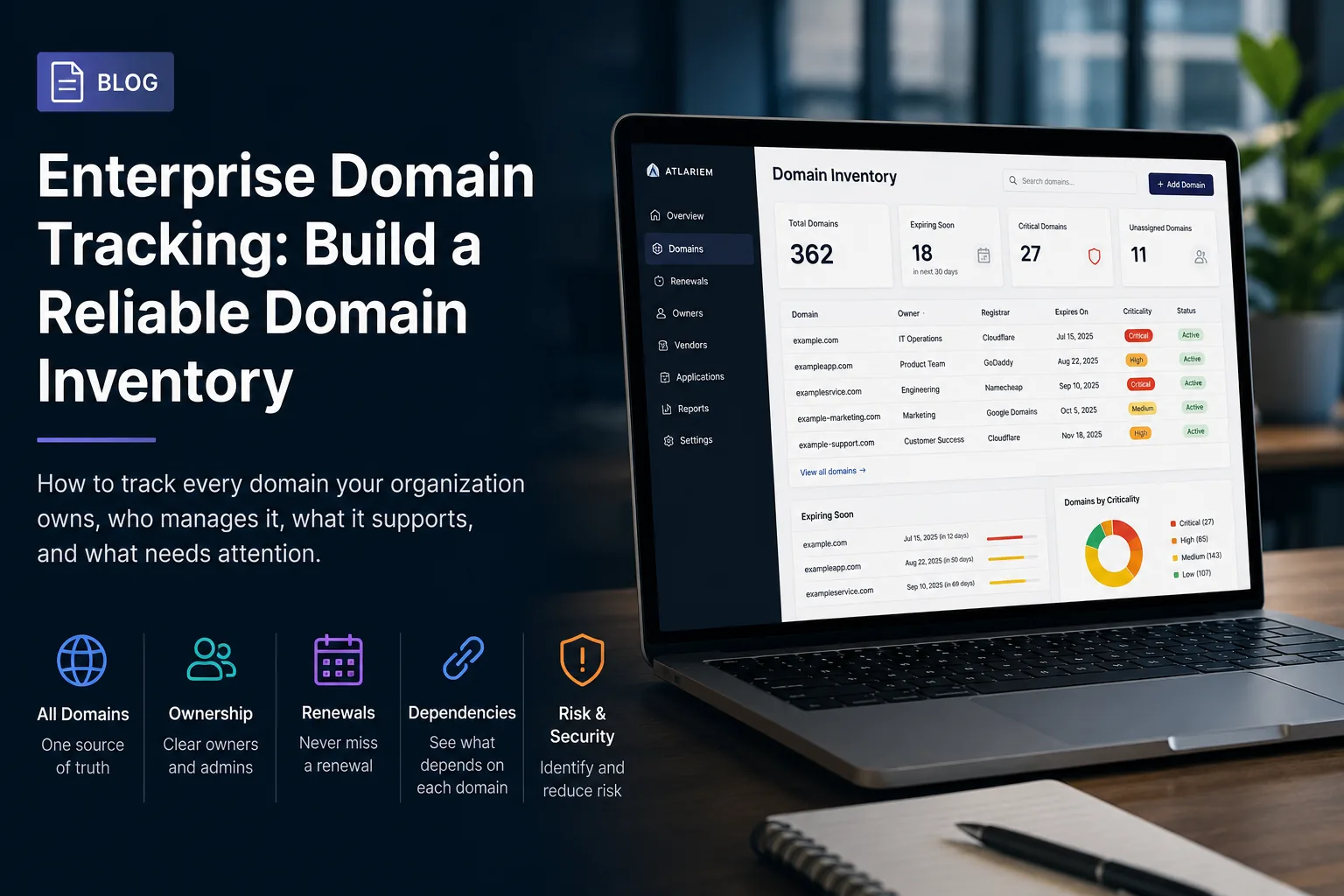
Rather than keeping disconnected lists of systems, vendors, people, and renewal dates, Atlariem allows teams to organize those records around ownership and operational relationships.
Organizations can use Atlariem to document:
- Digital assets
- Owners and administrators
- Vendors
- Costs and renewals
- Departments
- Dependencies
- Verification history
- Ownership risks
Atlariem is designed to help teams identify questions that ordinary inventories often miss:
- Which assets have no owner?
- Which systems depend on one administrator?
- Which renewals require attention?
- Which records have not been verified recently?
- Which assets are connected to a departing employee?
- Which systems are operationally critical?
Atlariem is currently available through invite-only early access while the platform continues to develop.
The Best Time to Build the Inventory
Most companies begin documenting their digital environment after a problem occurs.
A key employee leaves. A domain expires. An important account becomes inaccessible. A forgotten service renews. A security review reveals missing ownership information.
The better time is before the emergency.
Your company already has a digital estate. The question is whether that estate is organized, accountable, and resilient—or whether it exists mostly inside scattered spreadsheets and employee memories.
Building a digital asset inventory is not busywork.
It is the foundation for understanding how the business actually operates.
Ready to Map Your Digital Operations?
Atlariem helps organizations create a centralized record of their systems, owners, vendors, renewals, and operational dependencies.
Request an invitation to Atlariem’s early-access program and begin building a clearer picture of what your organization own